Camp Bus Tracking Software
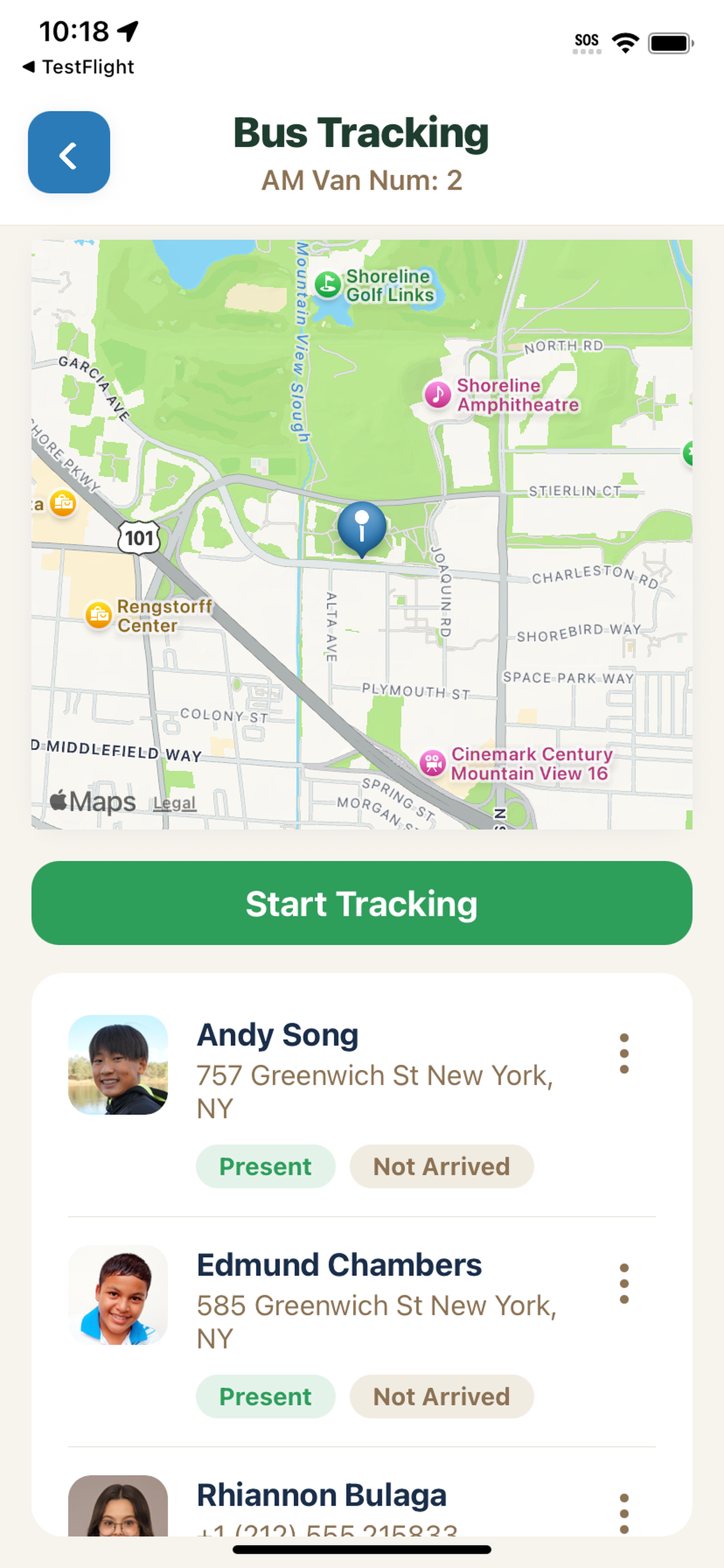
Know where every van and bus is-and who's on it. Staff start live tracking from the mobile app, mark riders Present or Not Arrived, and your admin map shows fleet ETAs so parents and ops stay in sync.
What Campium's bus tracking handles
Live GPS on the map
See each bus or van on a live map while tracking is active. Staff and parents get a clear picture of where the route is right now-not a static schedule.
Staff start tracking from the app
Assigned staff open Bus Tracking in the Campium mobile app, tap Start Tracking, and share location for that route. No separate GPS hardware required.
Rider roster with Present / Not Arrived
Mark each camper Present or Not Arrived as they board. The roster shows names, photos, and addresses so drivers and aides stay organized on the route.
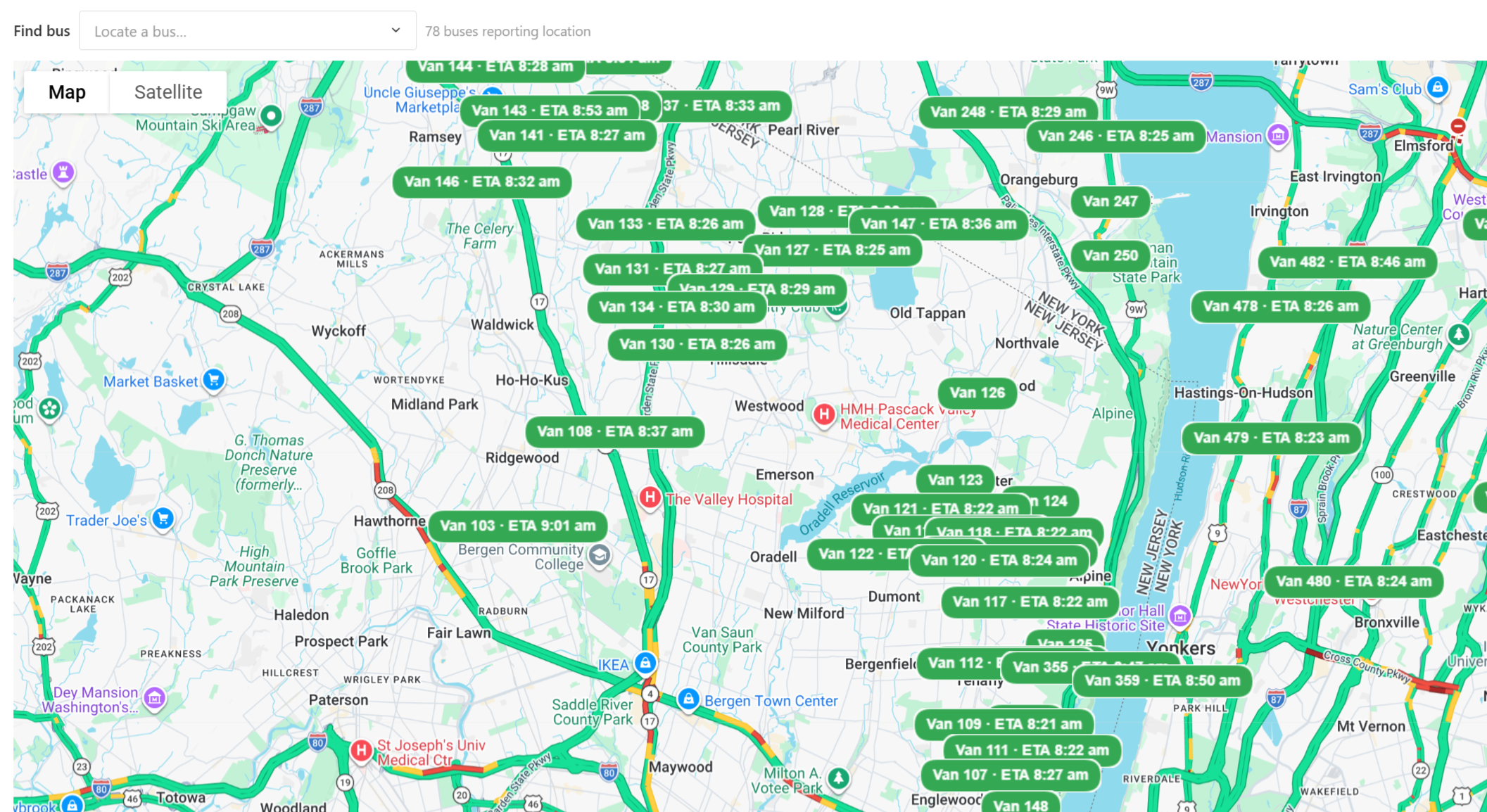
Admin fleet map with ETAs
Your ops team sees every reporting bus on one map, each labeled with an ETA. Use Find bus to jump to a specific van when a parent calls.
Parent peace of mind
When you enable parent bus tracking, families follow their child's bus in the Campium app-fewer "where is the bus?" calls during morning and afternoon runs.
Tied to your transportation roster
Bus assignments and riders live in Campium with the rest of your camper data. Tracking sits on top of the routes and rosters you already manage.
One map for the whole fleet
Morning drop-off and afternoon pickup get chaotic when dozens of vans are on the road. Campium's admin map shows every bus that is reporting location, with live ETA labels and traffic context-so your office can answer parent questions without radioing every driver.
- ✓ Find bus search to locate a specific route quickly
- ✓ ETA labels on each van marker
- ✓ Count of buses currently reporting location
- ✓ Map and satellite views for ops visibility
- ✓ Built for camps that run many vans at once
Related features
See Campium's bus tracking in action
We'll walk through staff tracking, rider check-in, and the fleet ETA map with your routes in mind.
Book a demo