Turn your paper registration packet into an online form
Upload the PDF you mail to families today. Campium reads every page and builds the form for you: sections, questions, choices, required answers, follow-ups, and signatures, matched to the profile fields you already have. You check it beside your packet, then add it in one click.
What Import from a PDF does for you
Reads every page
Typed or scanned, Campium reads the whole packet in page order: headings, questions, check boxes, fill-in lines, and the wording of your waivers.
Matched to your profile fields
"Date of Birth" saves to the birth date you already track. Answers land on the camper and guardian profiles, so reports and rosters work from day one.
Choices, required answers, follow-ups
Check boxes become choice questions with their options. "If yes, explain" becomes a follow-up that only shows when a family answers yes.
Signatures and waivers
Release and consent pages come across as text with a signature question, ready for families to sign online.
You review before anything is added
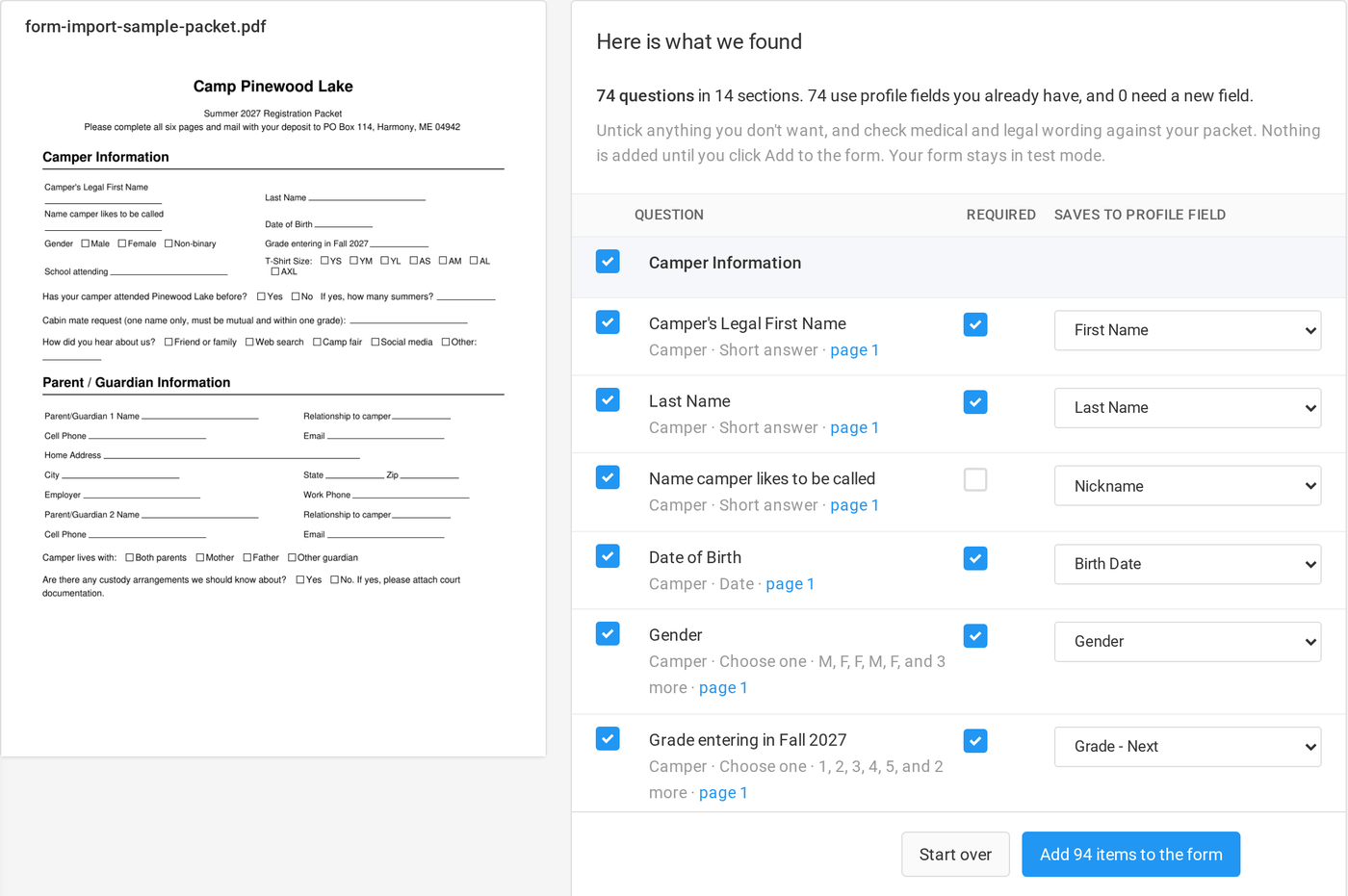
See every question beside your packet, with a link to the page it came from. Untick what you don't want, change where an answer saves, then add the rest.
Undo if you change your mind
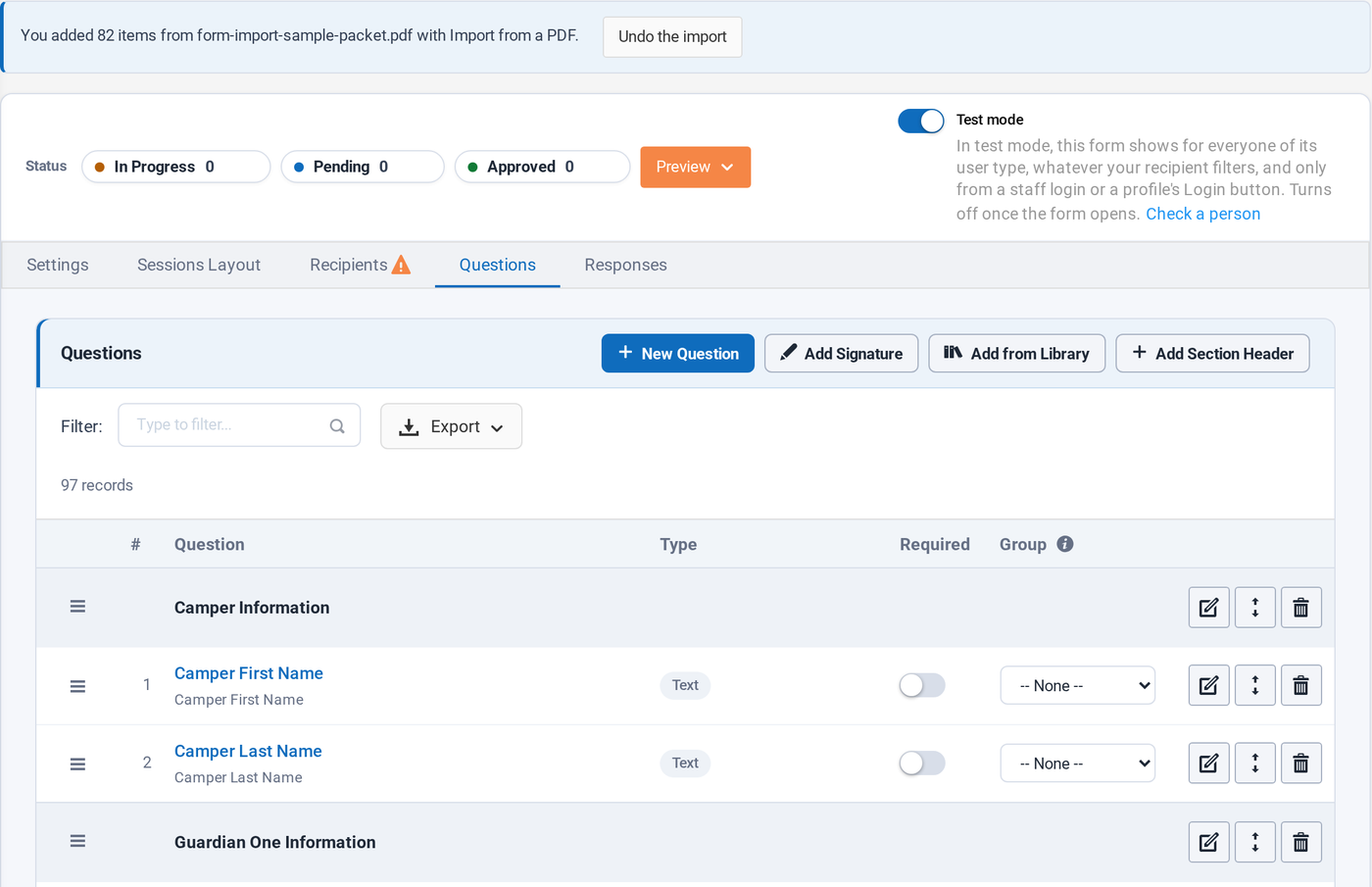
For a week after you add an import, one click takes it back off the form. Your form stays in test mode until you open it to families.
Check it side by side with your packet
The review screen puts your PDF on the left and what Campium found on the right. Every question shows who it is about, what kind of answer it takes, and the profile field it saves to.
- ✓ Questions about the camper, guardian 1, and guardian 2
- ✓ A count of fields you already have and fields it will create
- ✓ Card and bank details are always left out, and listed so you know
- ✓ Session choices and payments stay with your Campium setup
A real form, ready to finish
Click Add and the questions go straight onto your form, in order, with their sections. From there it is a normal Campium form: reorder, edit wording, add sessions and payments, and preview it the way a family will see it.
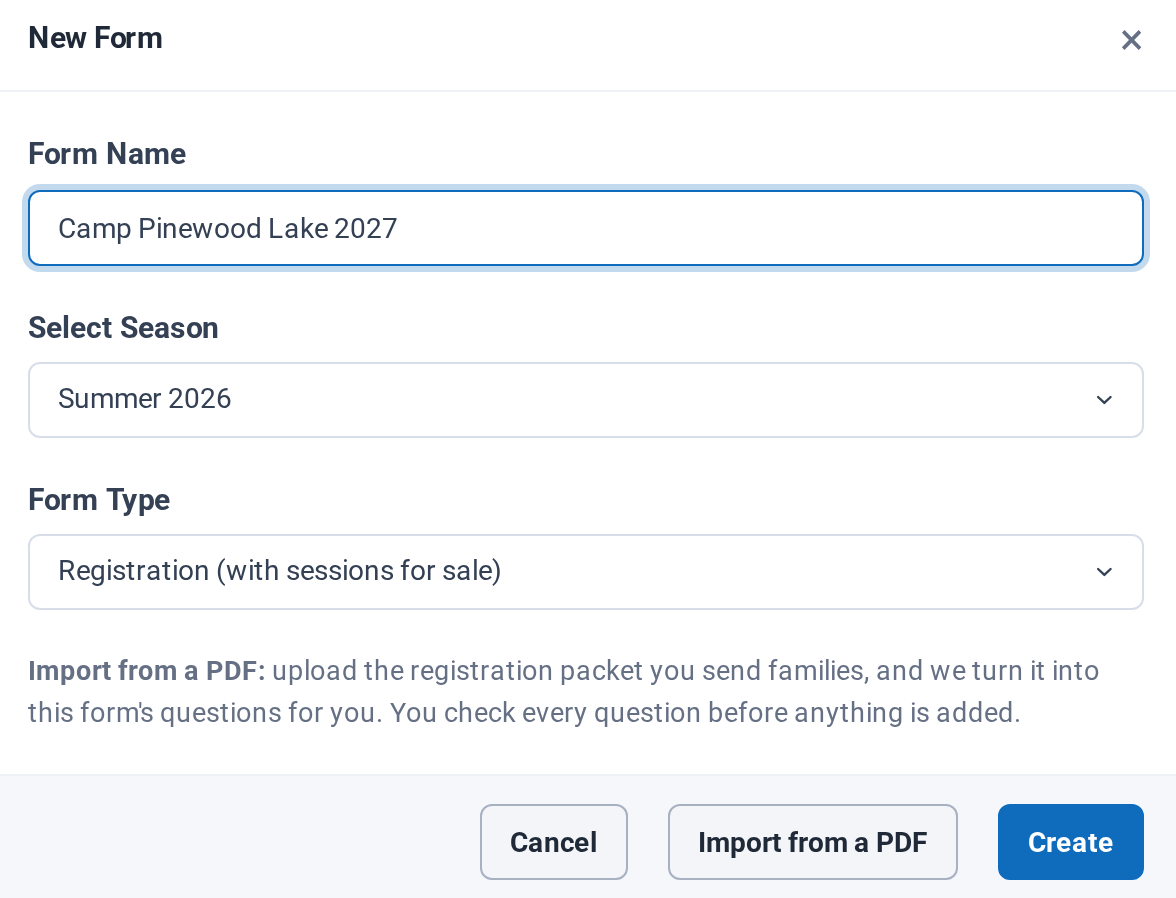
- ✓ Start from New Form, then Import from a PDF
- ✓ PDFs up to 10 MB, scanned pages included
- ✓ Have a Word file? Save it as a PDF first
Related features and resources
Bring us your packet
We'll import your own registration packet on the call and show you the form it makes.
Book a demo